 ESPectre
Choose your detection profile
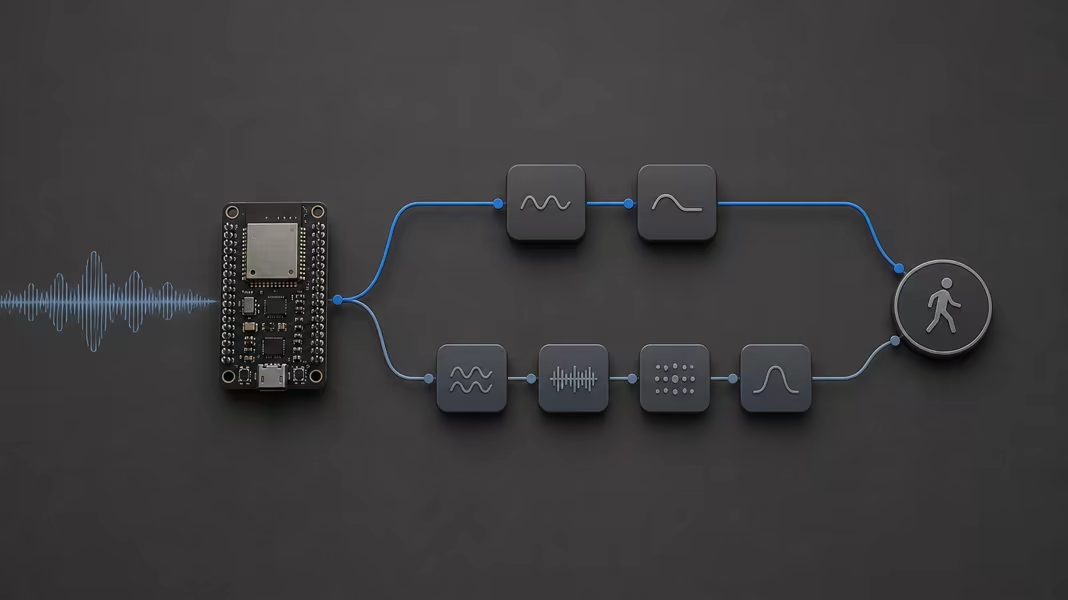
ESPectre has two motion detectors: Lightweight Detection and High-Accuracy Detection. Both read the same Wi-Fi CSI and report the same motion state. Lightweight is the default and uses less CPU and memory. High Accuracy uses a small pretrained model to detect better, and works better in rooms it was not tuned for.
Sections
Two built-in detectors
Lightweight Detection
Leaves more CPU and memory for the rest of the firmware. It adapts its threshold to the room during a short calibration at startup, while the room is quiet.
lightweight
High-Accuracy Detection
Uses more signal features and a small neural network. It is more accurate in our tests, including in rooms it has never seen, and needs no calibration.
high_accuracy
Choose in thirty seconds
- Choose Lightweight when the chip is small or also runs a display, Matter, updates, or other services.
- Choose High Accuracy when fewer false alarms and better detection matter most.
- If unsure, keep Lightweight, then try High Accuracy in the same spot and compare.
What changes
Runtime cost
Less CPU and memory.
More CPU and memory for the extra features and the neural network.
Detection quality
Good baseline; lower accuracy, and less consistent from room to room.
Higher accuracy, and more consistent from room to room in our tests.
Startup
Calibrates from about ten seconds of clean data. A burst in that window can extend it, up to about thirty seconds.
No calibration; it starts as soon as it has collected enough CSI.
Training required from you
None.
None; the model is included in the firmware.
Best fit
Small chips, or products that need resources for other features.
Products where detection quality comes first and there is room for the extra cost.
These are detector choices, not power modes. We measure each detector's CPU and memory use, but make no claim about the device's total power use.
How to select it
Pick your firmware type. You can change the profile while the device runs, and the choice is saved. On Matter, this setting is available over Direct HTTP, not through the standard Matter controls.
Native MQTT shell
Connect to the broker and select the device. The change applies at once and survives reboots:
./espectre mqtt --broker 192.168.1.20
espectre> update_sensing detector=high_accuracy
Check that the shell reports an accepted result, then open Live motion on the same device and verify Detection mode. MQTT clients can also read detector from the retained sensing topic. Use update_sensing detector=lightweight to switch back.
Home Assistant shows a detector selector, and the choice is saved. In YAML, detection_algorithm sets the profile to use until you pick one:
espectre:
  detection_algorithm: lightweight  # or high_accuracy
Published Matter images start with Lightweight. Open Live motion to switch profile; the change applies at once and survives reboots. Your own builds can also set the starting profile in the ESP-IDF configuration.
Set the detector in the runtime configuration before starting ESPectre:
espectre::RuntimeConfig config;
config.detection_algorithm = espectre::DetectionAlgorithm::HIGH_ACCURACY;
Evidence and deeper reference
The SDK detector reference explains how each detector works, step by step, and shows the measured performance of both.